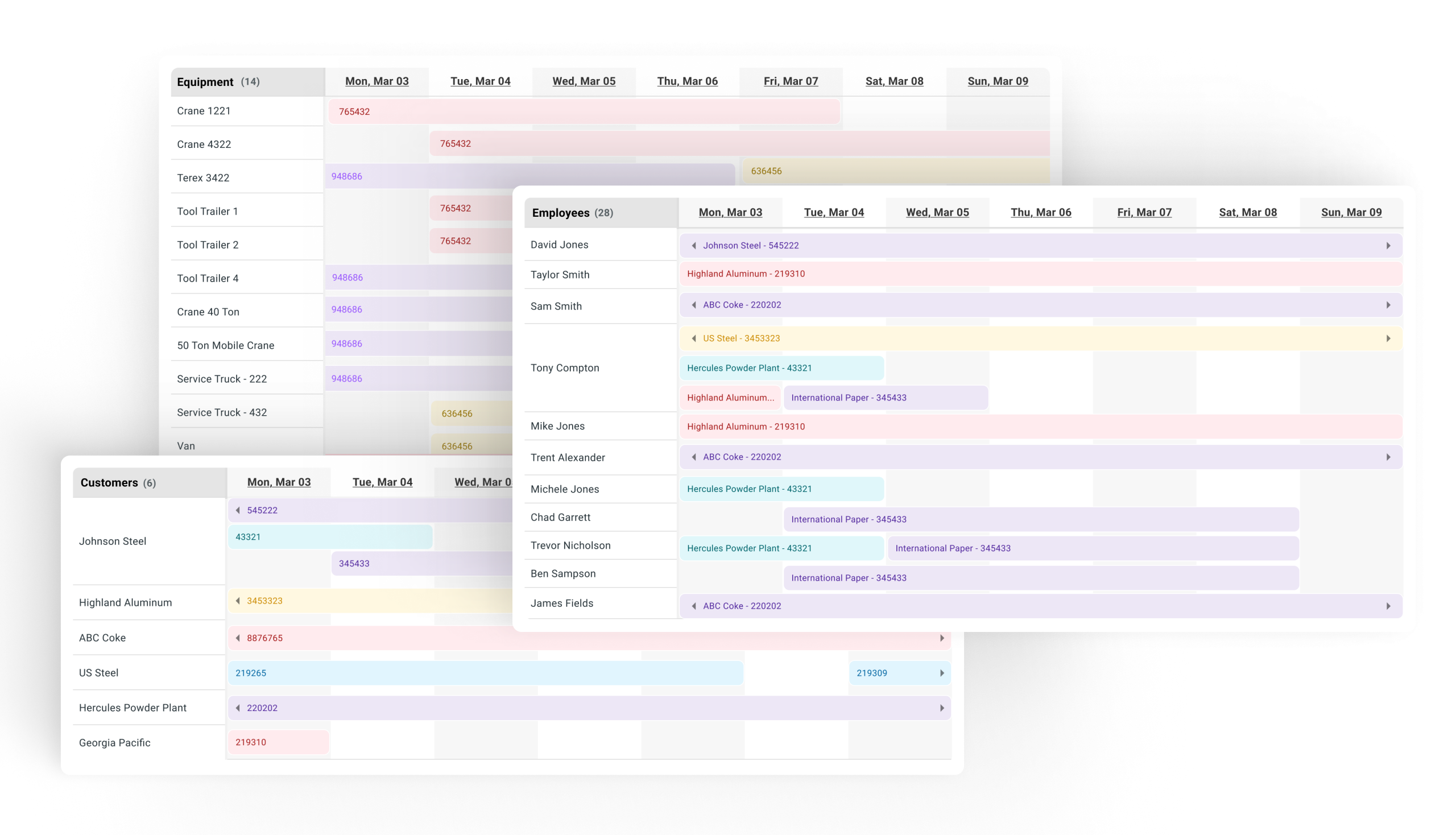
Three crews are on three job sites today. One is at a refinery on the Gulf Coast. One is at a power plant 400 miles north. One is at an ethanol facility nobody on your team has worked at before. Each crew has a job number, a scope, a customer, and roughly four hours before the project manager calls asking where things stand.
Most mechanical contractors are running that day on tools that weren’t built for any of it. The schedule lives on a spreadsheet that gets updated five or six times a day. Time tracking lives in a separate app that doesn’t talk to payroll. Per diem is a phone call to the office. Inspections are paper. Work orders get scanned in at the end of the week. And the customer? They get a phone call from the foreman if the foreman remembers, and an invoice three weeks later.
What Mechanical Contracting Actually Requires
Mechanical contracting is a high-mix, high-mobility field service business. You quote a lot of jobs, you mobilize crews across long distances, you work inside industrial customers’ facilities, and you bill on margin that disappears the second something falls through the cracks. The administrative burden is real, but it isn’t the work itself, it’s the layer of disconnected systems wrapped around the work.
When the work and the systems don’t match, the cost shows up everywhere, in time written on paper and re-entered into payroll three days later, per diem disputes between the field and the office, work orders that never close cleanly, change orders the customer doesn’t acknowledge until invoicing, and inspection forms scanned in at week’s end and lost in a SharePoint folder.
A mechanical contractor owner we talked with recently put it this way: “I get through the billing, I get through the panic, I get through what we have to get through. But when it comes to equipment, I have no idea when it was touched, when a part was changed. It takes going back through the job documents and every service report to find out what’s what.”
That’s a system problem showing up as a billing one.
The Field Operations Layer Mechanical Contractors Need
| What mechanical contracting requires | What disconnected tools deliver | What crewOS delivers |
|---|---|---|
| Time captured in the field, synced to payroll | Manual timesheets, chased weekly | Time tracked at the job, auto-synced to payroll |
| Work orders with full job history | PDFs scanned in, history in someone’s head | Work orders with instant access to job history and real-time updates |
| Per diem calculated and validated | Phone calls, spreadsheets, disputes | Automatic calculation and expense validation |
| Inspections that can be done anywhere | Paper, plus a scan, plus a SharePoint folder | Inspections completed in the app, with offline mode for plants with no signal |
| Change orders the customer can see | Hoped-for emails, surprise line items | Documented in the system, visible to the customer in real time |
| Customer visibility | Phone call from the foreman | A Customer Portal with the full picture of the job |
We wrote about what happens when customers can actually see the work you’re doing for the longer version of the visibility argument. Mechanical contractors who work inside industrial plants are usually one of several service providers on site. The contractor who shows the customer the work in real time is the contractor who gets called back next quarter.
Built for How Crews Actually Move
The field changes every day. Sometimes there’s signal, sometimes there isn’t. Sometimes a job runs four hours, sometimes it runs four days. Sometimes a customer adds scope at 2pm on a Thursday. Your software needs to handle all of it without your foreman having to think about it.
crewOS is built mobile-first and works offline by default. Crews can log time, complete inspections, add field notes and photos, and capture change orders from anywhere. The system syncs the second it gets a signal. Office staff don’t have to chase data, they receive it. Customers don’t have to call for an update, they have one.
That is the layer that turns three crews on three job sites into one field service operation. Hours captured, per diem clean, work orders closing on time, and invoices going out the same week, not three weeks later. Every job’s history, photos, inspections, and change orders sit in one place the next time a customer calls.
From Multiple Systems to One
If your team is running on paper, three apps, and a Google calendar, you’re already paying for crewOS. You’re paying in unbilled hours, late invoices, lost change orders, and customer relationships that quietly slip to a competitor with cleaner reporting. The choice isn’t whether to invest in a system. The choice is whether to invest in the one you already have.
See what crewOS does for mechanical contractors who are ready to run one system instead of five.