
What’s New in crewOS! Nothing Gets Found and Then Forgotten.
Somewhere in your operation right now, there is a finding a tech flagged two weeks ago that never became a quote. This release exists for that finding.
crewOS 1.7.0 is the biggest release we have ever shipped: thirty-eight features across twelve areas of the platform, ninety-three work items counting the bugs we fixed and the plumbing we rebuilt underneath. But the number is not the point. The point is the thread running through it, and the thread is that the things your crew finds stop getting lost on the way to being fixed, billed, and proven.
Here are the four changes you will feel in the first week, then the full accounting of the rest.
1. Action items became the most important record in crewOS
This is the biggest build in the release, and it touches every surface: the mobile app, the web app, the work order, the asset, the report PDF, and the quote.
Before 1.7.0, an action item was a simple flag in a section of your inspection. Now it is a record that carries weight, and it carries it all the way to an invoice.
Your tech grades urgency where they find the problem
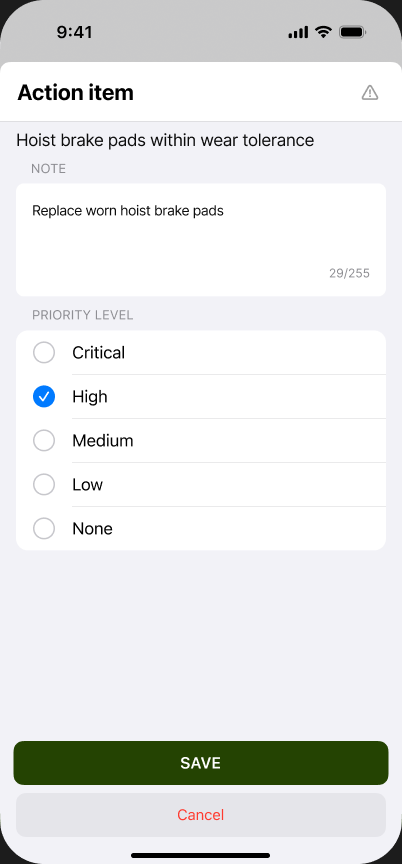
When a tech answers an inspection question and something is wrong, raising the action item now includes a priority: Critical, High, Medium, Low, or None. Set in the same tap flow, standing at the crane, while they are looking at it. They add the note in the same screen.
That grade is the difference between handing your service manager thirty findings and handing them the two that will take your customer’s equipment out of service this month.
And they do not get buried
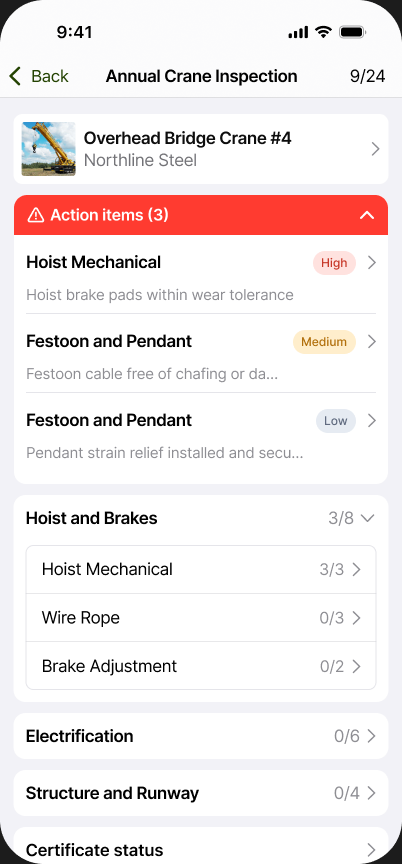
Open an inspection in the app and the action items sit in a banner at the top with a count, above the checklist itself. Three items on this crane, each with its priority chip, before your tech scrolls a single section.
The same capability works across Inspection, Service and JSA forms. Whatever form your crew is filling out, if they see something, they flag it and rank it the same way.
Every Action Item on a work order lands in one place
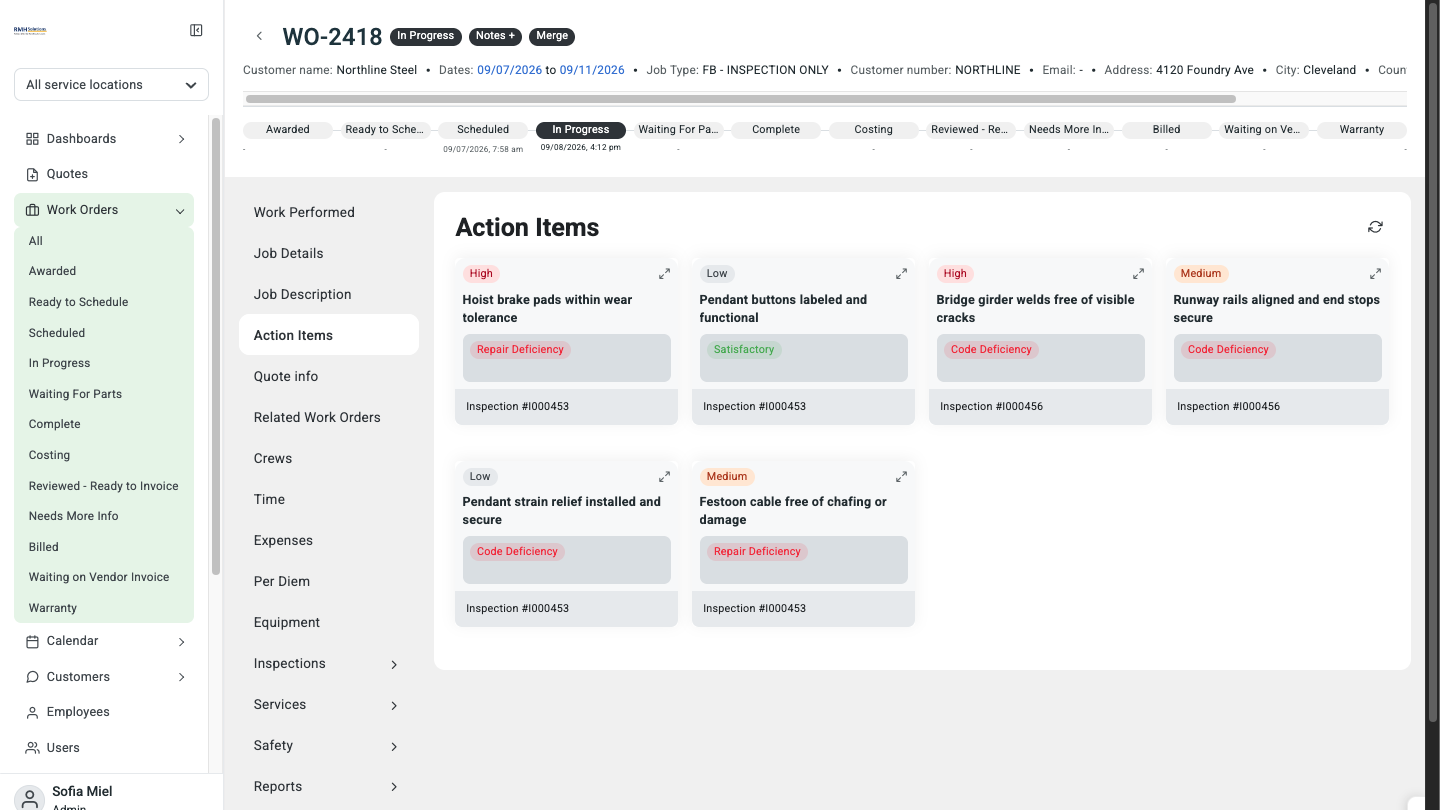
The work order now has an Action Items section that rolls up everything the crew raised across every form on that job.
Look closely at the screenshot and you will see items sourced from two different inspections on the same work order, sitting side by side in one view. Each card carries its priority, the question that produced it, the response type your tech gave it, and a link back to the inspection it came from.
Your service manager stops opening form after form to find out what the crew found.
The ones worth selling become a quote in one click
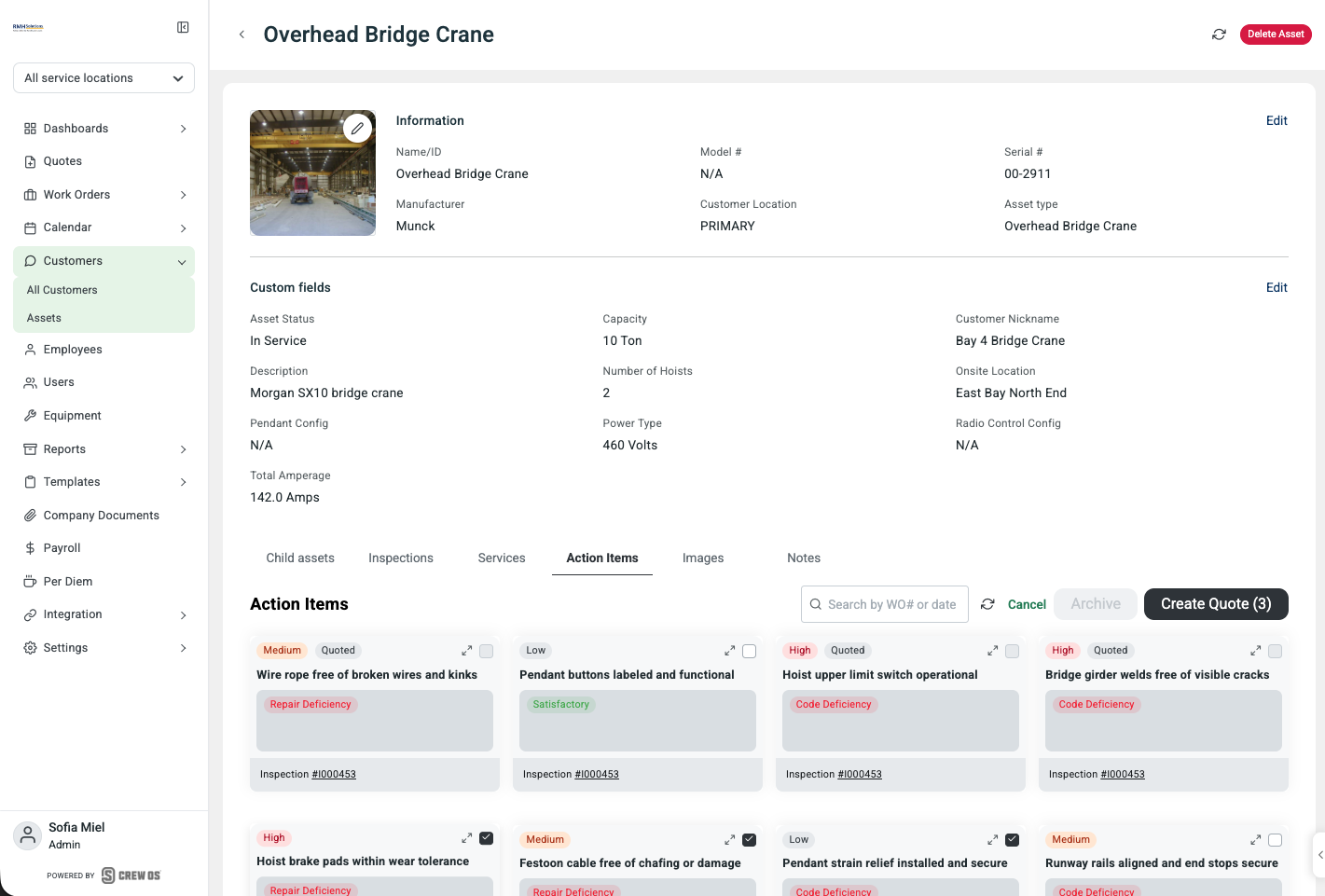
Open an asset, go to Action Items, tick the ones you want to sell, and hit Create Quote. The button counts your selection so there is no ambiguity about what is going out.
Items already quoted carry a Quoted badge, so nobody sells the same repair twice.
And the quote arrives already organized
The quote comes out grouped into sections, one per action item, named for the component: Safety Latch, Hook, Wire Rope. Each section carries the deficiency type underneath and its own line items for parts and labor. Add what you need under each heading.
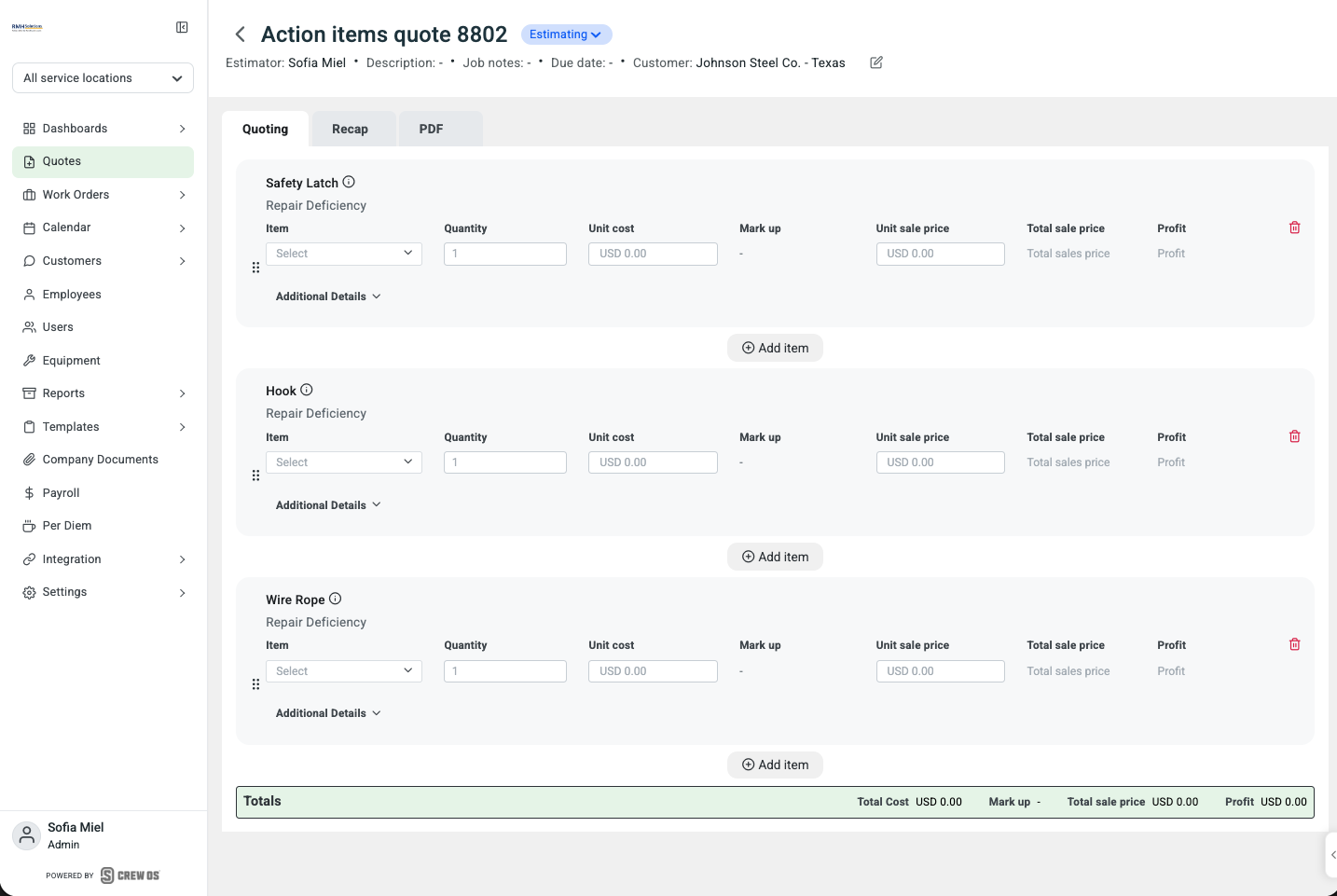
With the evidence still attached
This is the part that changes the conversation with your customer.
Every section on that quote has an info icon. Open it and you get the whole chain of custody: who found it, when they found it, the inspection it came from, the asset it belongs to, the inspection template that was run, and the photos your tech took, including the one where he circled the worn hook in red.
When your customer asks why they are paying for something, the answer is not a service manager trying to remember a job from three weeks ago. It is the finding, the date, the tech’s name, and a photo of the problem.
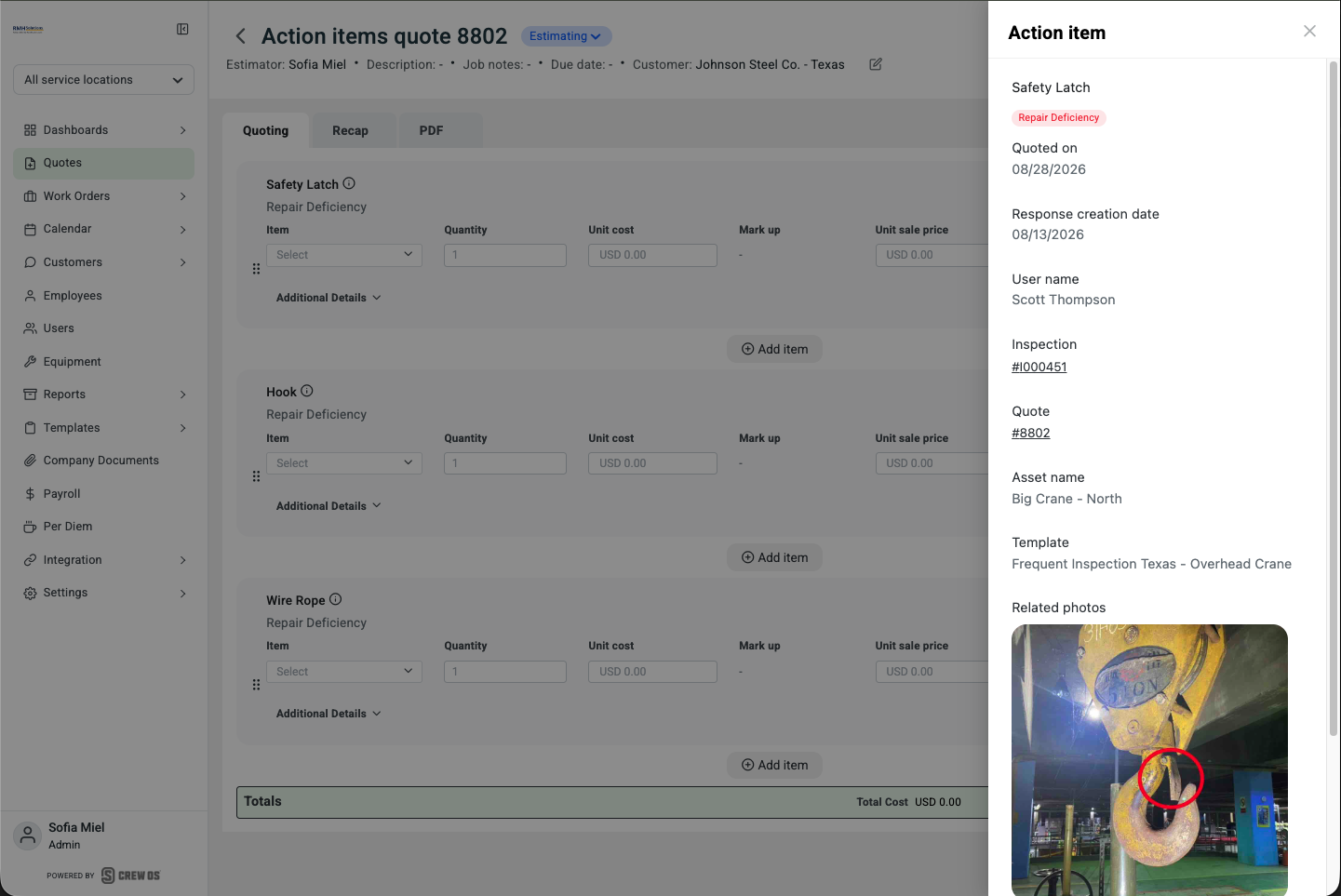
The priority and the note also flow through to the report PDF, so nothing gets lost on the way to the customer.
2. The binder and the job folder now live in crewOS
Two new document stores, at two different levels.
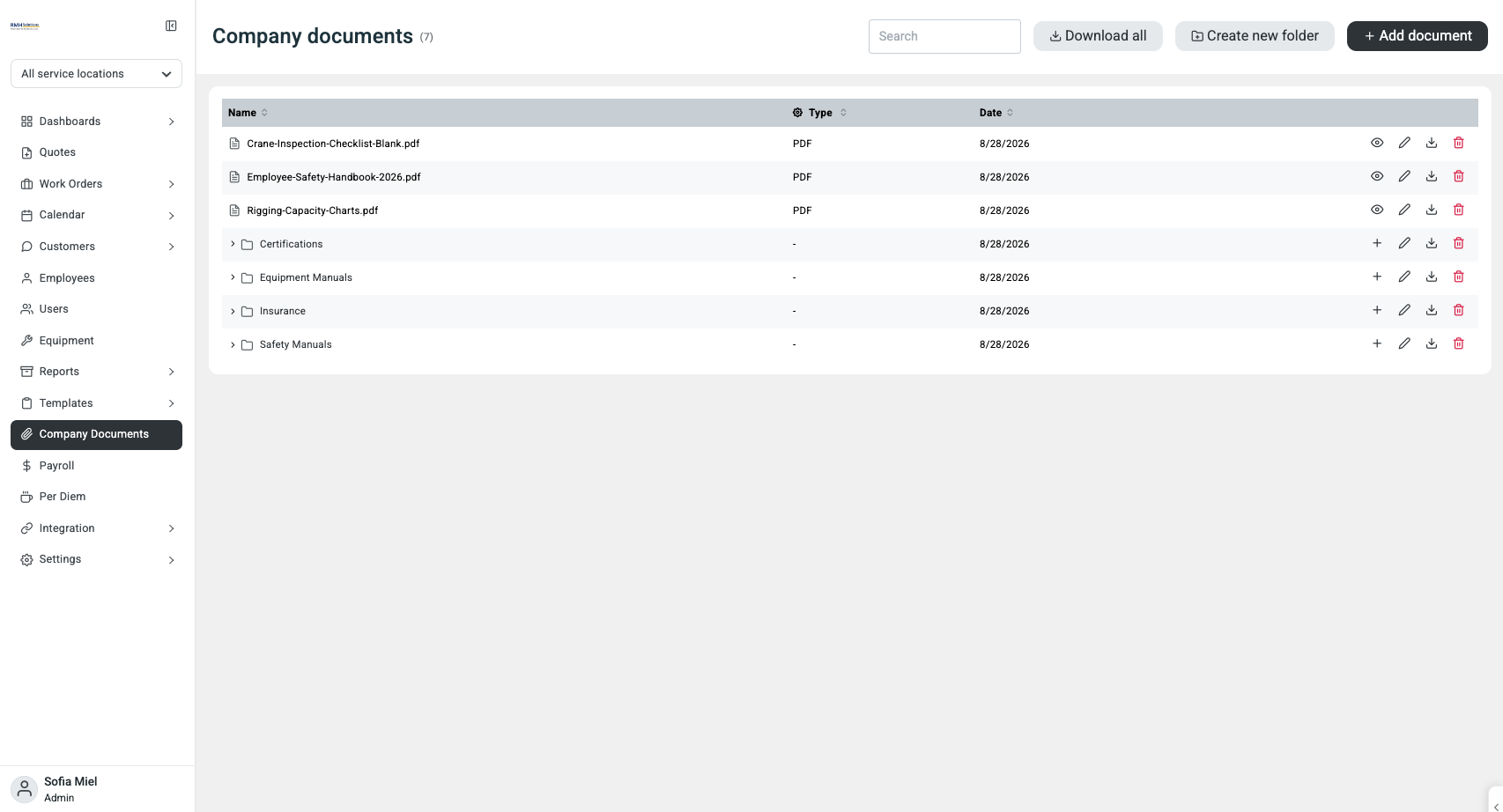
Company Documents is a new section in the sidebar for the things every shop keeps and every tech eventually needs. Loose files like your blank inspection checklist, your safety handbook and your rigging capacity charts sit alongside folders for Certifications, Equipment Manuals, Insurance and Safety Manuals. Search it, add to it, download the whole thing.
When a site rep asks for a certificate before your crew can start work, your office finds it in one search instead of one archaeology dig.
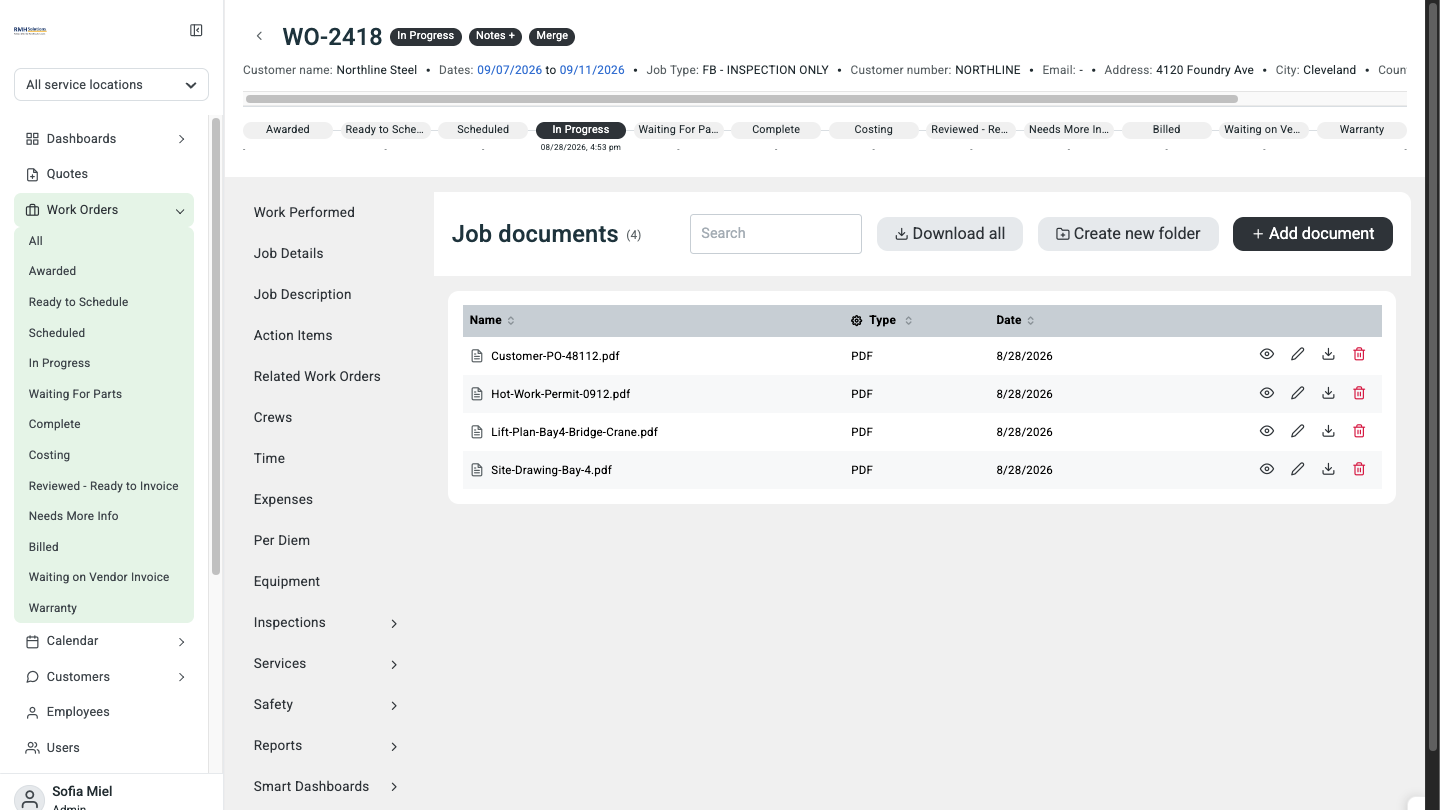
Job Documents does the same thing scoped to a single work order. On WO-2418 that means the customer PO, the hot work permit, the lift plan and the site drawing, all attached to the job they belong to.
No more hunting through email for which message had the PO on it.
Coming soon to the app: both document stores are on the web today, and they are headed to the crewOS mobile app next. That is the moment the certificate a site rep asks for is in your tech’s pocket instead of your office’s inbox.
3. Your techs can see their week coming
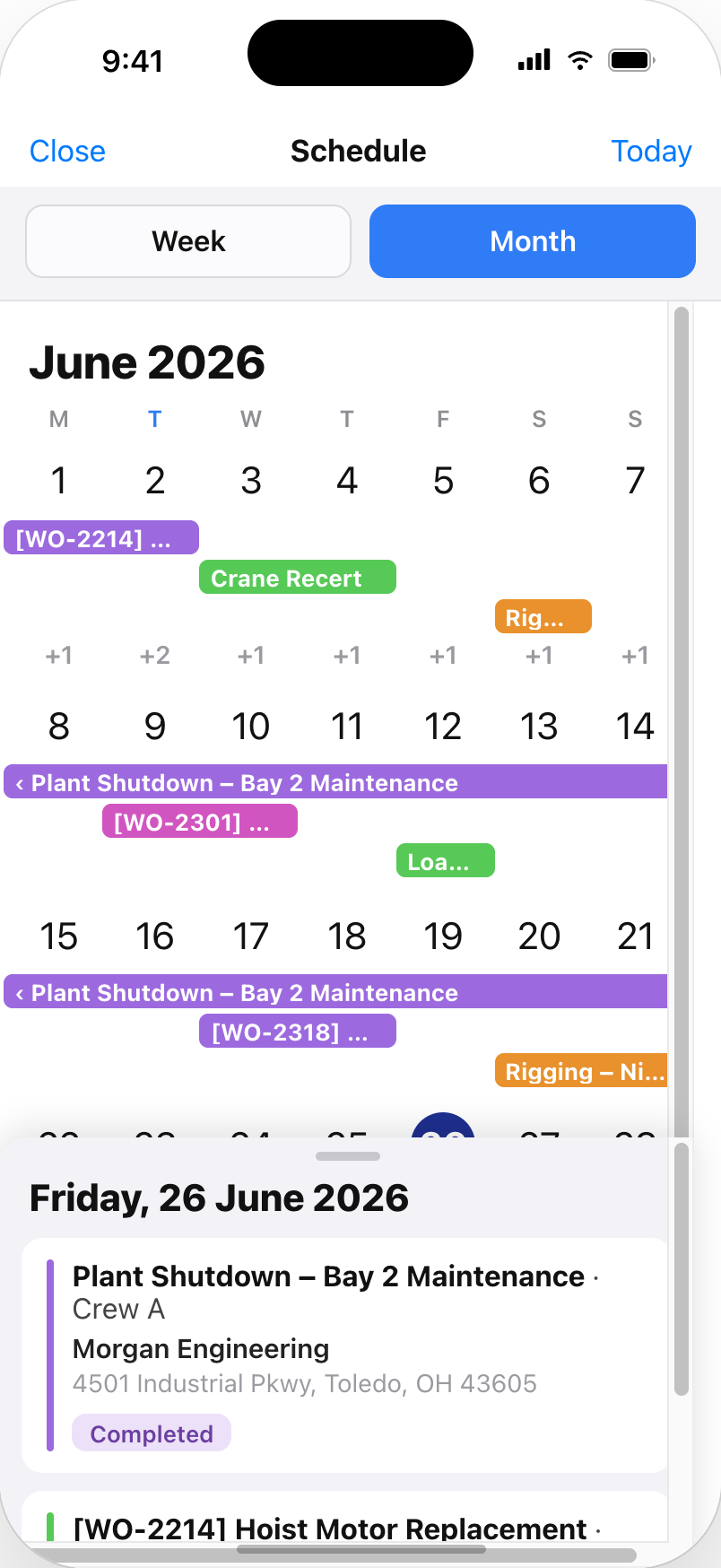
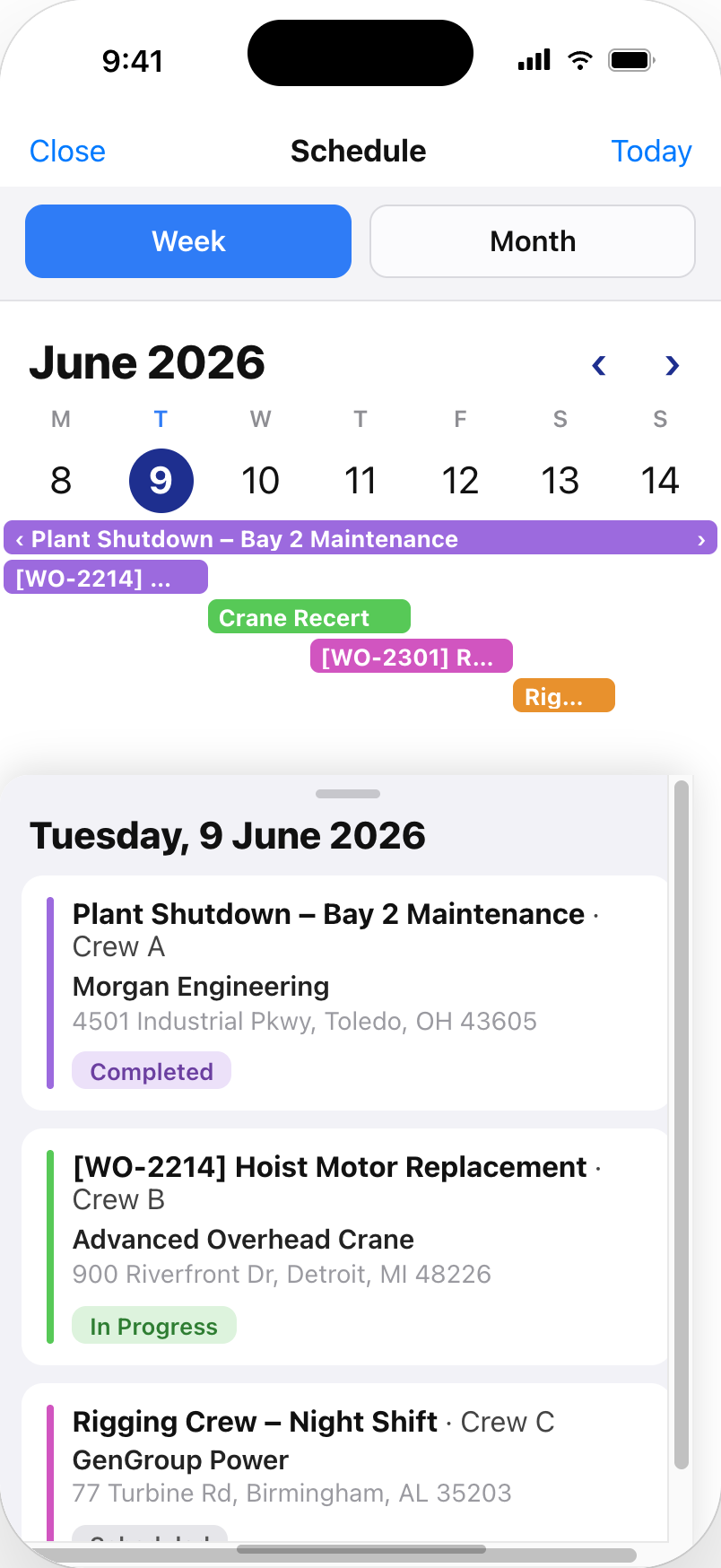
The crewOS app now has a work order calendar with month and week views.
That sounds small. It is not. A list tells a tech what is next. A calendar tells them what their week looks like, which is the thing people actually want to know when they are planning their life around a job schedule.
Multi-day work reads as multi-day work. A plant shutdown spanning a week shows as one bar across the week instead of seven separate entries. Tap any day and you get the detail underneath: the job, the crew assigned, the customer, the site address, and the status.
Month for planning. Week for working.
4. A pile of small things that were quietly costing you time
None of these are headline features. All of them remove friction somebody hits every day.
Enter time as 1:15, not 1.25. When time tracking is set to total hours, web time entry now takes hours and minutes. No more converting minutes to decimals in your head.
Travel time populates on the timesheet. Travel entries show in the app timesheet with the same layout and count into the total exactly like work time does.
Send someone a link and they see what you see. Search terms, filters, sort order, which tab you were on, even an open drawer are all part of the URL now. Paste a link into Slack and the person who opens it lands on the same view instead of a reset default.
Fix a form without sending a tech back out. Admins can now edit an inspection or service form on the web after it was completed in the field. Corrections to real data, not workarounds.
Multiple portal logins per customer. Several people at the same customer each get their own Customer Portal account instead of passing one login around.
The full list, by capability area
Everything in the release, grouped by what it moves.
Action Items, expanded (5)
- Expanded action item model in the API, with priority levels, archive and restore, dynamic attributes and asset context
- Action items in Inspection, Service and JSA forms on mobile
- Action Items section inside the Work Order
- Create a quote from selected action items, grouped by item with source question and answer
- Action item note and priority on the report PDF
Document Management (2)
- Company Documents, with folders and drag-and-drop upload
- Job Documents scoped to a single work order
Quoting (4)
- Manage quoting lost reasons in settings instead of a fixed list
- Custom quote numbering
- Hide quotes from the Quotes list by status
- Customer emails prefilled when submitting a quote
- Configurable email sender
Deep linking and shareable URLs (3)
- Shared URL foundation across the main list screens
- Detail pages, named tabs and open drawers included in the link
- Search, filters and sort preserved on Work Orders and Inspections
Time tracking and travel time (3)
- HH:MM time entry on web
- Travel time in the app timesheet, counted into the total
- Travel time syncing with customer name and work order number
Customer and account management (4)
- Customer ID auto-numbering
- Multiple Customer Portal users per customer
- Seeded users default to non-billable
Form editing on web (2)
- Edit an Inspection form from the web
- Edit a Service form from the web
Scheduling and calendar (2)
- Work order calendar on iOS, month and week views
- Unified drag-and-drop scheduling calendar on web
crewOS 1.7.0
Already a crewOS customer? Your customer success manager will walk you through 1.7.0 and let you know when your environment is scheduled. Ask about action item quoting first, since that is what changes the most.
New here?
